Puckwatch

Game stats for minor hockey

Your bench.
Your call.

Live game stats for minor hockey, logged by the parents who are already in the stands, kept in a spreadsheet the team owns. Good data at a fraction of what AI analytics charge.

  • A fraction of the cost of AI analytics
  • No parent accounts
  • Works offline at the rink

The story

Two halves of the same guy

I coach my kids' hockey teams. I also pay for them. Those two people want different things.

The coach wants numbers. Who is getting shots. Who was on the ice when the goals went in, for and against. How the goalie is really doing, not how it felt from the bench. What the second period looked like. Good data makes for better conversations with players, and better ones with their parents.

The dad has read the quotes. AI analytics platforms, camera systems, per-team subscriptions that run into the thousands a season, built for programs with a budget line. A minor hockey team runs on a few volunteers and a group chat. I was not going to ask twenty families to split a bill like that, and I was not going to let a company own my team's numbers.

Puckwatch is what I built so I did not have to choose. The data comes from the people who are already at every game. Each parent who wants to help logs one thing on their own phone: shots, saves, penalties, notes. The coach runs the bench. Everyone else follows along live. And at the end of the night the whole game is in an Excel workbook in the team's own Dropbox, not in someone else's database.

Puckwatch costs something, because servers and evenings do, but it is priced for one team, not a program. A fraction of what the analytics platforms charge, and the workbook is yours either way.

It is one person's project, used by real teams every weekend. If that sounds like your team, I would like to hear from you.

Peter
Hockey dad, coach, and the person who answers the email
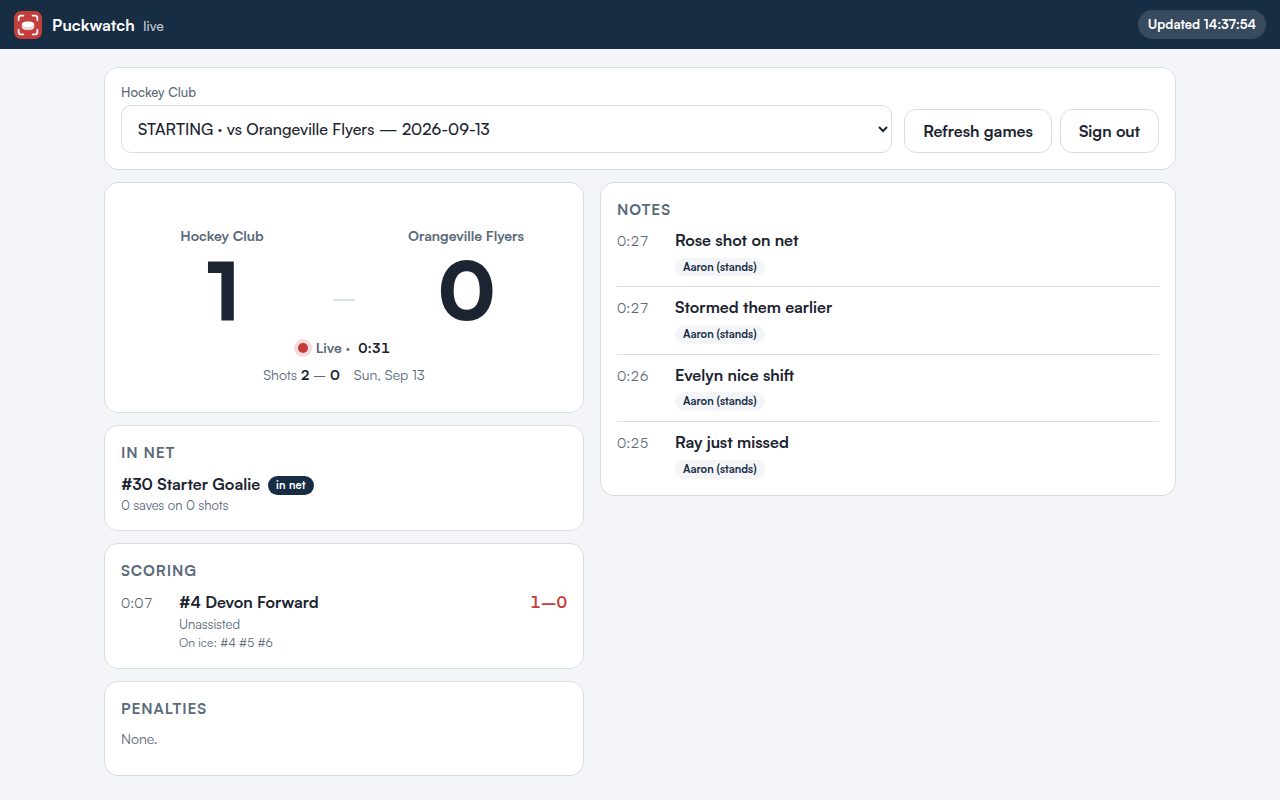
Puckwatch Live on a widescreen display: score 1โ€“0, who is in net, scoring with assists and who was on the ice, penalties, and notes from the stands
Live on a TV in the stands: the score, who is in net, every goal with assists and who was on the ice, penalties, and notes. Refreshes on its own.

How it works

Four pages, one game book

  1. 1

    The coach runs the bench

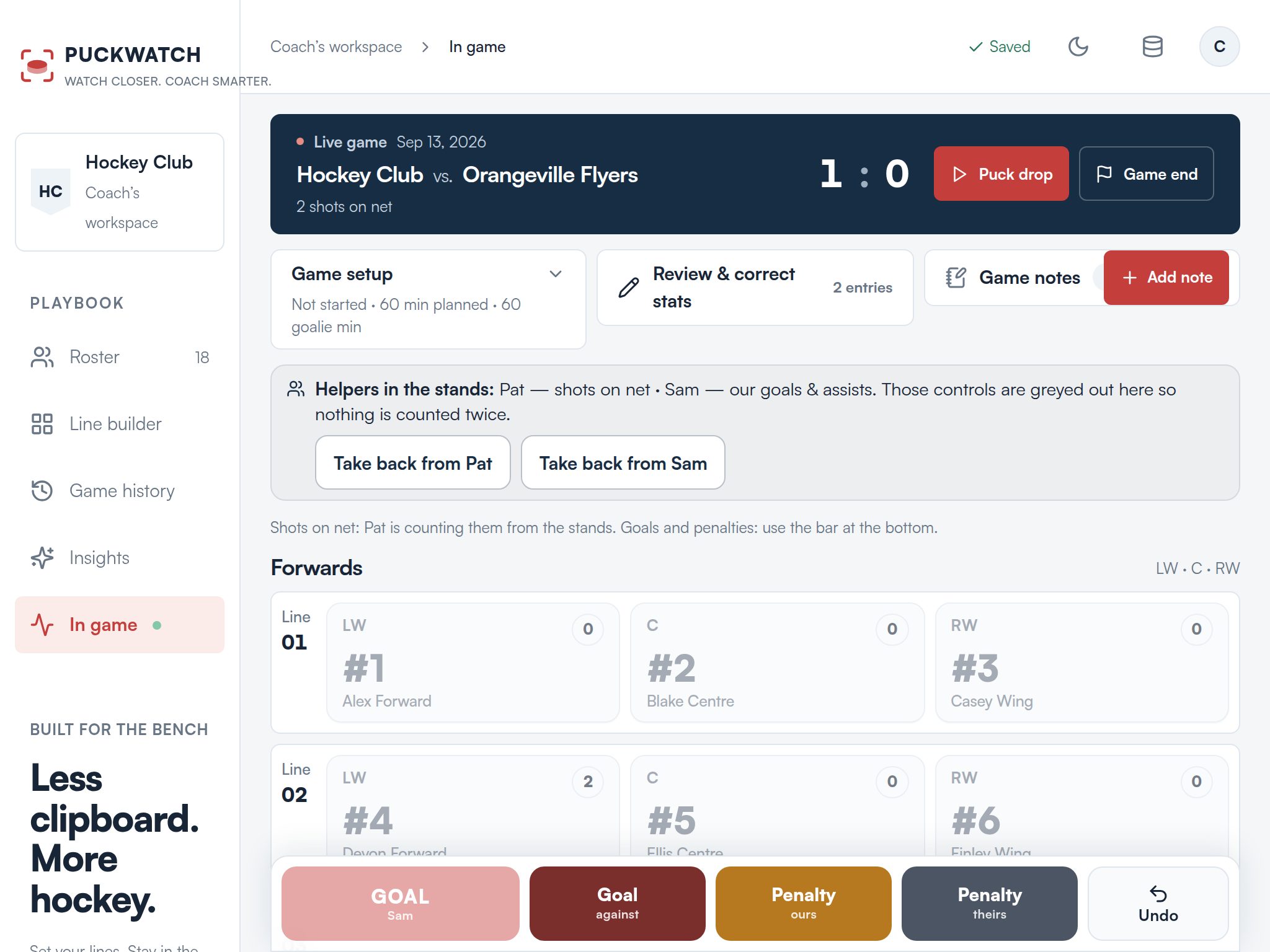
    Roster, lines, puck drop. Goals go in with the scorer, the assists and who was on the ice, in two taps. From the bench, on a tablet or a phone, in a browser or the Android app.

    Admin admin.puckwatch.app

  2. 2

    Parents log stats

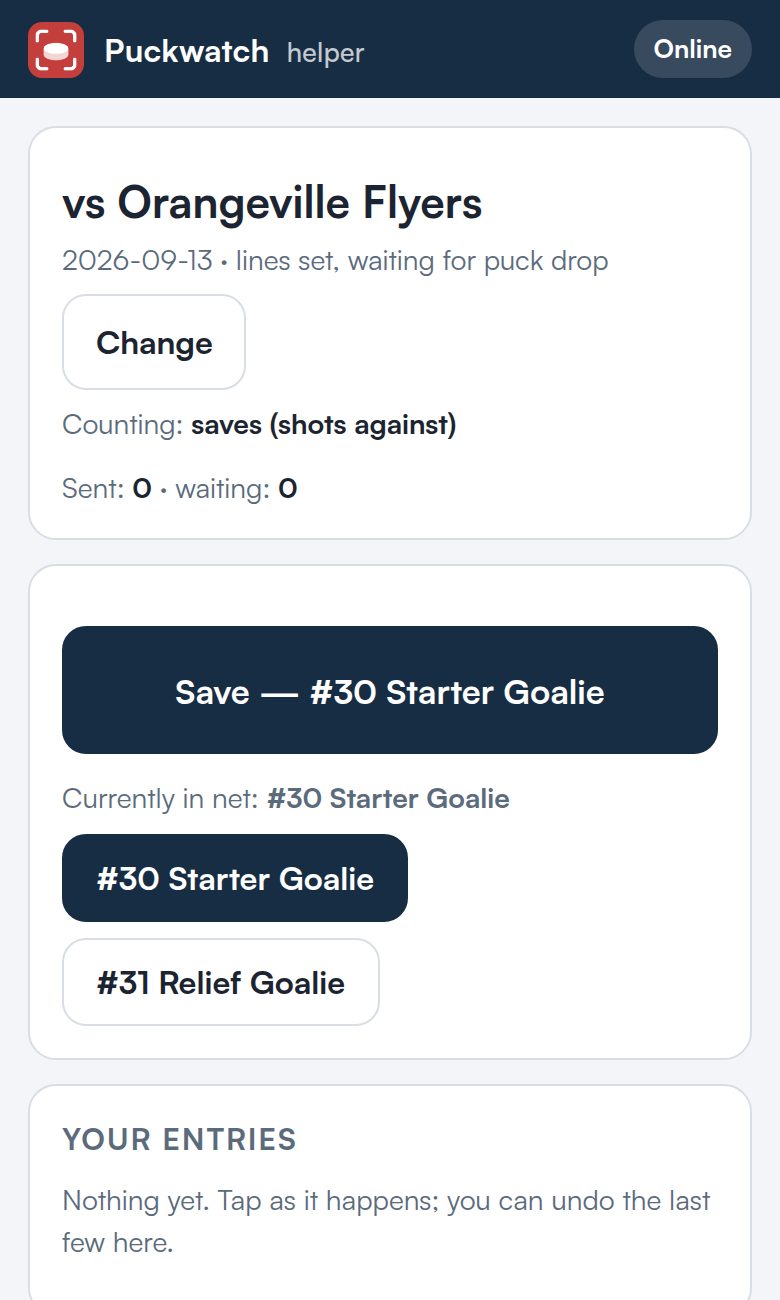
    A parent opens the team link, types their name and the team's 4-digit code, picks the game and what they will log. Shots, saves, goals, penalties, puck drop or notes. Each category has one owner, so nothing is counted twice. No signal in the arena? Taps queue up and send when there is.

    Log stats stats.puckwatch.app/TEAMCODE

  3. 3

    Everyone follows along

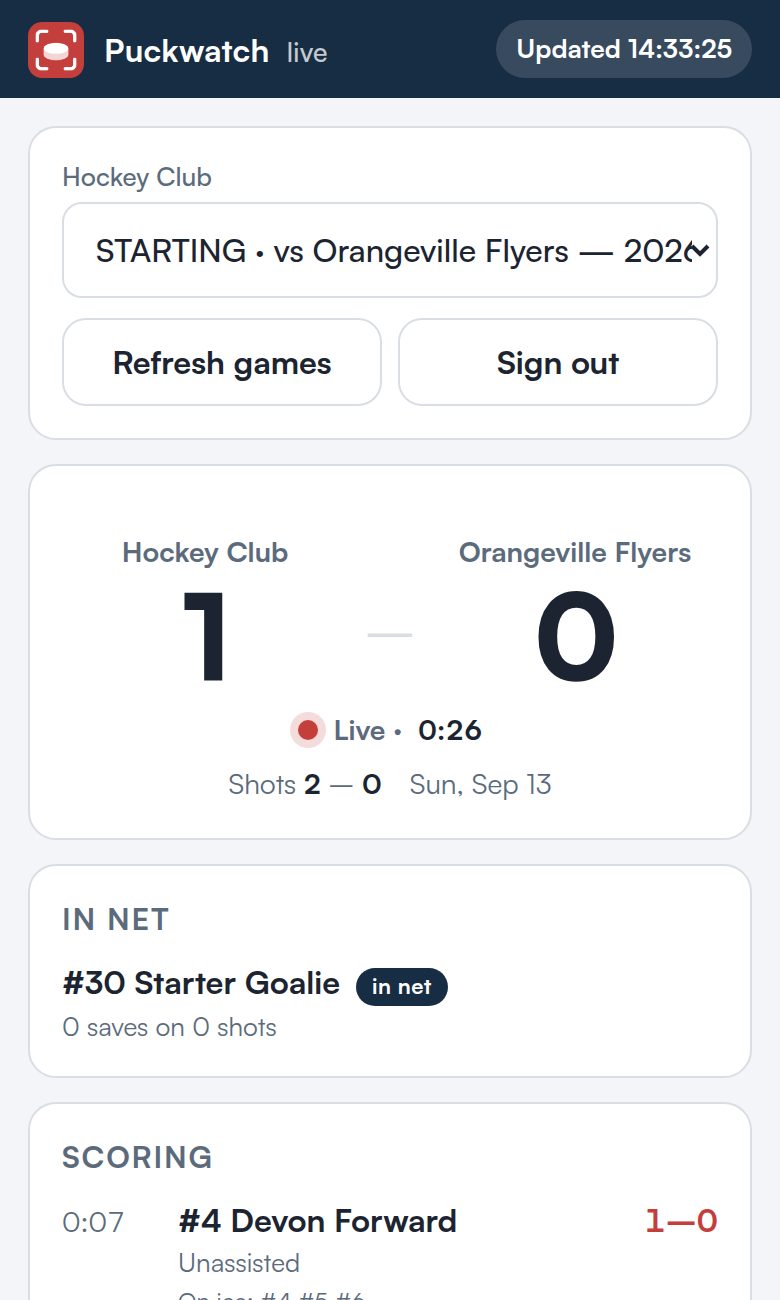
    Live shows the score, shots, scoring, penalties and notes on a phone or a TV in the stands. The Coach's dashboard adds every skater's and goalie's numbers and who is logging what.

    Live live.puckwatch.app/TEAMCODE Coach's dashboard coach.puckwatch.app/TEAMCODE

The Puckwatch bench on a tablet during a live game: lines with shot counts per player, Goal and Penalty buttons, and a note that two helpers in the stands are counting shots and goals
The Admin dashboard during a game. Categories parents are logging grey out here so the stands and the bench never double count.
Log stats on a phone: a parent logging saves for the goalie in net, with a large Save button and an entries list
Log stats: a parent logging saves. One big button, undo underneath.
Live on a phone: score, in net, scoring and penalties
Live on a phone in the stands.

What you get

The numbers a coach actually uses

  • Shots and saves

    Per skater and per goalie, with the goalie in net tracked through changes.

  • Goals the honest way

    Scorer, assists, strength, and who was on the ice. When nobody recorded the on-ice group, plus/minus shows it as unknown instead of pretending.

  • Penalties, both benches

    Yours by player, theirs as a count. Minutes stay on the game sheet where they belong.

  • Notes from the stands

    "Great backcheck by #2." Time-stamped, tagged to players, waiting for the coach after the game.

  • Game history and season totals

    Every game reviewable, every column sortable, shootouts kept out of the totals.

  • An Excel workbook you own

    The whole season in the team's own Dropbox. Open it, chart it, hand it to next year's coach.

What it will not do

Sell you AI analytics

There is no machine learning in Puckwatch and no camera rig. There are parents with phones and a coach who reads the numbers. That turns out to be most of what a team needs, at a fraction of the price.

Make parents sign up

A team link and a 4-digit code. Parents type their name once. That is the whole onboarding.

Keep your data

The game book is a spreadsheet in your Dropbox. Stop using Puckwatch tomorrow and you lose nothing.

Need Wi-Fi at the rink

Entries queue on the phone and send when there is signal. The bench keeps working with none at all.

For parents

Got a team code?

Your coach shares a short code and a 4-digit passcode. Type the code to watch Live or to log stats.

Live: live.puckwatch.app/CODE ยท Log stats: stats.puckwatch.app/CODE

Get started

Bring your team

Puckwatch is run by one hockey dad. Send me your team's name and level and I will set up your Admin sign-in. You will have the Admin dashboard, a Log stats link for parents, Live and the Coach's dashboard the same day, with nothing to install.

Puckwatch is paid, priced per team per season, and a fraction of what AI analytics platforms charge. Email for the current price. Your workbook is yours either way.